
Key Summary
Buy Now, Pay Later agreements have become a popular way to spread the cost of a purchase across several weeks or months without paying interest upfront. The sign-up process takes seconds, which makes it easy to forget that you are entering a formal lending agreement with specific terms around cancellations, refunds, and repayment dates.
Problems come up regularly. You ordered the wrong item and need a refund. Your financial situation changed, and you cannot make the next instalment. You want to shift your payment date to align with your paycheck. Each of these situations plays out differently depending on which BNPL provider you used and what the merchant’s policy allows. This guide explains how cancellations and modifications actually work, what your rights are, and what to do when things do not go smoothly.
Why You Might Need to Cancel or Adjust a BNPL Plan
BNPL agreements look simple from the outside: buy something, pay for it in four installments, and done. But the moment something goes wrong, that simplicity disappears. The BNPL provider and the merchant operate as separate parties, and getting a refund or a payment change requires both to cooperate on your behalf.
Common reasons people need to cancel or change a BNPL plan include:
- Receiving a defective or incorrect item and filing a return
- Cancelling an order before it ships
- A change in income that makes upcoming instalments unaffordable
- Wanting to pay off the balance early to free up credit capacity
- Needing to update a payment method before a scheduled installment fails
While the Consumer Financial Protection Bureau (CFPB) recently attempted to legally classify BNPL accounts as credit card issuers under Regulation Z to force strict dispute rules, that specific mandate was ultimately withdrawn following industry legal challenges.
However, the regulatory pressure forced a permanent shift: today, even though BNPL plans lack formal credit card status, major providers have voluntarily updated their platforms to mimic those protections. This means while the ultimate responsibility for managing cancellations still falls on you, the apps now provide much smoother internal tools to pause your payments during a dispute.
Can You Cancel a BNPL Agreement After Purchase?
Whether you can cancel a BNPL agreement depends on two things: how far along the purchase is and what the merchant allows. The BNPL provider does not operate independently of the merchant. It follows the merchant’s lead on returns and cancellations.
Time-Sensitive Cancellations
The earlier you act, the more options you have.
- Before the item ships: Contact the merchant immediately and request cancellation. If the merchant cancels the order before processing payment, the BNPL provider treats the agreement as void, and no instalments are charged.
- After the item ships but within the return window: Initiate a return with the merchant. Once the merchant approves the return and processes the refund, the BNPL provider adjusts your plan and refunds any payments already made.
- After the return window closes: Your options are much more limited. The BNPL provider will not adjust the plan unless the merchant authorizes a refund, which is unlikely outside the return window.
The key principle: the BNPL provider acts on the merchant’s instruction. You cannot bypass the merchant and cancel directly with the provider.
Read: How to Budget Monthly with BNPL Purchases
Provider-Specific Cancellation Policies
Each BNPL provider handles cancellations differently once a return is approved.
- Klarna: Briefly pauses your payment schedule while it processes the refund. Once the merchant confirms the return, Klarna updates your plan and refunds any paid installments.
- Affirm: Does not cancel an active loan but processes a refund once the merchant approves the return. The refund amount is applied to your outstanding balance first, then any excess is returned to your original payment method.
- Afterpay: Pauses remaining installments once a return is lodged. After the merchant confirms, Afterpay cancels the remaining payments and refunds completed ones.
- Zip and Sezzle: Both require documented proof of the return or cancellation from the merchant before making any adjustments to the active plan.
What Happens to Your Money and Refunds If You Cancel a BNPL Plan?
Understanding what happens to your money after a cancellation request is filed is one of the most confusing parts of the process. Here is how it typically works.
Automatic Refunds on Cancelled Orders
When a full cancellation is confirmed by the merchant:
- If no installments have been paid yet, no charge is made and the agreement is closed.
- If one or more installments have already been paid, the BNPL provider refunds those amounts to your original payment method.
- Remaining unpaid installments are canceled and will not be charged.
For partial cancellations, where you return one item from a multi-item order, only the proportion of the plan relating to the returned item is adjusted. The remaining installments for items you kept continue as scheduled.
Refund Processing Timelines by Provider
Refund speed varies by provider and depends on your bank’s processing time on top of the provider’s timeline.
| Provider | Typical Refund Timeline |
| Affirm | 5 to 10 business days after merchant confirms |
| Klarna | 3 to 5 business days after merchant confirms |
| Afterpay | Up to 10 business days depending on your bank |
| Zip | 5 to 7 business days after merchant confirms |
| Sezzle | 3 to 10 business days after merchant confirms |
These timelines start from when the merchant processes the return, not from when you file it. If the merchant takes five days to process your return request and Affirm then takes another five to ten days to issue the refund, you could be waiting two to three weeks from the date of your return.
Who Processes the Refund
The merchant initiates the refund on their end. The BNPL provider then receives that signal and adjusts your payment plan. Neither party acts without the other. This is why checking with both parties separately and keeping records of all communication is important. If the merchant says they processed the return but the BNPL provider has not adjusted your plan after the expected timeline, you have evidence to escalate with both.
How to Change a BNPL Agreement
Not every situation requires a full cancellation. Sometimes you just need more flexibility in how or when you repay. BNPL providers offer limited but real options for making changes to active plans.
Changing Payment Dates
Most providers allow you to shift a payment date once per plan, within a limited window.
- Klarna: Allows you to postpone a single payment at no cost in many cases, depending on your account history and the specific plan type.
- Afterpay: Permits a one-week extension on a payment date for accounts in good standing. The request must be made before the due date, not after a missed payment.
- Affirm: Does not offer self-service date changes through the app. You need to contact Affirm’s support team directly, and approval is not guaranteed. Affirm may offer hardship arrangements in some circumstances.
- Zip: Offers a reschedule option in the app for eligible accounts, typically allowing a shift of up to one week.
- Sezzle: Allows one free reschedule per order through the app. Additional reschedules may carry a small fee.
The window for requesting a date change matters. Most providers require the request to be made at least one business day before the scheduled payment, not on the due date or after it has passed.
Updating Payment Methods
If a card expires or you want to switch to a different debit card or bank account, most BNPL providers allow this through their account settings or app. Update your payment method before the next installment is due to avoid a failed payment, which can trigger late fees and impact your ability to use the provider in the future.
Paying Off a Plan Early
All major BNPL providers allow early payoff. Log into your account, find the active plan, and look for a “pay now” or “pay off early” option. There is no prepayment penalty. Paying early reduces your total number of upcoming installments and can free up your purchasing capacity with that provider sooner.
Some providers, including Affirm on longer-term plans, may show a remaining interest balance if the plan carried deferred interest. Confirm the exact payoff amount in the app before making the final payment.
Steps to Cancel or Modify a BNPL Plan
Follow these steps in order. Skipping the merchant step is the most common mistake people make.
Step 1: Contact the Merchant First
Go to the merchant’s website or app and initiate the return or cancellation through their process. Do not contact the BNPL provider first. The merchant must generate the return authorization before the BNPL provider can act. Get confirmation in writing, either a confirmation email or a return tracking number.
Step 2: Notify Your BNPL Provider
Once you have the merchant’s confirmation, log into your BNPL app and mark the order as returned or flag it for review if that option is available. Some providers, like Klarna, allow you to report a return directly in the app, which pauses your payment schedule while they process the refund.
Step 3: Monitor Both Accounts
Check both the merchant’s order status and your BNPL app every two to three days. Confirm the return has been received and the BNPL plan has been updated. Most providers send an email when they process a refund. If the refund does not appear within the expected timeline, contact both parties.
Step 4: Keep All Records
Save every piece of communication: the original purchase confirmation, your return request, the merchant’s return confirmation, any emails from the BNPL provider, and screenshots of your plan status before and after. These records are essential if you need to escalate a dispute.
What If the BNPL Provider Denies Your Request
A denial from the BNPL provider isn’t always the final word; it’s often just a sign the right information hasn’t reached the right place yet. A few escalation paths can get a wrongly denied request resolved without much extra effort.
Dispute with the Merchant
If the BNPL provider says the merchant has not yet confirmed the return, go back to the merchant with your tracking number or return confirmation. Escalate to the merchant’s customer service management level if the front-line team cannot resolve it. Some merchants have delayed processing systems and simply need a follow-up.
File a Formal Complaint with the BNPL Provider
Every major BNPL provider has a formal complaints process separate from general customer support. Request this specifically and submit your documentation. Formal complaints are tracked and typically handled by a senior team with more authority to issue adjustments.
Use Consumer Protection Channels
If you have worked through both the merchant and the BNPL provider and still cannot get resolution, file a complaint with the Consumer Financial Protection Bureau (CFPB) at consumerfinance.gov/complaint. The CFPB receives and forwards complaints to financial companies and requires a response. You can also file with the Federal Trade Commission (FTC) at reportfraud.ftc.gov. These channels are particularly useful if you believe the provider is applying unfair terms or failing to process a refund they owe you.
Pro Tips for Managing BNPL Agreements
BNPL agreements are easy to accept and easy to mismanage, mostly because the terms get skimmed in the few seconds between checkout and confirmation. A handful of habits make the difference between BNPL working as a useful short-term tool and quietly turning into a stack of missed payments and fees. Here are the ones that matter most.
Read the Terms Before Accepting
Every BNPL agreement shows you the payment schedule, the due dates, the late fee policy, and the cancellation terms before you confirm. Take two minutes to read these before clicking accept. The fee for a missed payment is typically $7 to $15 per occurrence and some providers charge it per missed installment, not per order.
Only Use BNPL on Refundable Purchases
Final sale items, non-returnable goods, and digital products often cannot be returned regardless of what goes wrong with them. Using BNPL on these items means you are committed to the full payment schedule with no recourse if something is wrong.
Track Plans Across Multiple Providers
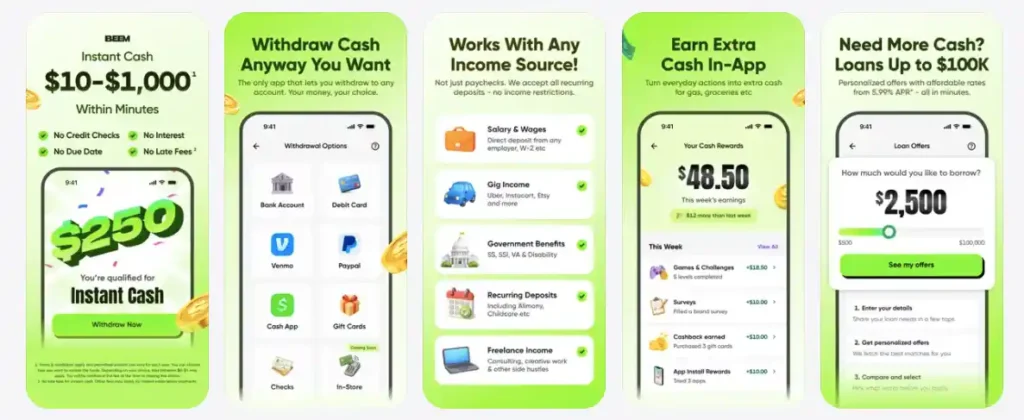
If you have active plans with more than one BNPL provider, keeping track of due dates manually is error-prone. Missing a payment because you forgot which provider was due that week is one of the most avoidable BNPL mistakes. A budget tracking tool that shows all your upcoming payment obligations in one place helps. If you are managing multiple short-term financial commitments and find yourself short between paychecks, Beem’s Everdraft feature gives you access to up to $1,000 with no fees and no credit check, repaid automatically from your next paycheck, which can cover a specific installment gap without the cost of a late fee.
Repay Strategically
BNPL splits your payment into installments, which helps cash flow. But it also means you have multiple future obligations tied to past purchases. Before adding another BNPL plan, check whether your current plans leave enough room in your next two or three paychecks to cover the installments without strain.
Frequently Asked Questions
Can I cancel a BNPL plan after making one or more payments?
Yes, but it depends on the merchant’s return policy. The merchant must authorize the return before the BNPL provider adjusts your plan. Once the return is confirmed, the provider cancels remaining installments and refunds payments you have already made, typically within 3 to 10 business days.
Can I change my BNPL repayment date?
Most providers allow one date change per plan through their app. Klarna, Afterpay, Zip, and Sezzle all offer this option with some restrictions. Affirm requires you to contact support directly. Make the request at least one business day before the due date, not after a missed payment.
Will canceling a BNPL plan hurt my credit score?
It depends on the provider. Some BNPL plans, particularly Affirm and longer-term Klarna plans, may report to credit bureaus. A refund processed correctly should not negatively impact your score. However, a missed payment before the cancellation is processed can create a negative mark. Act quickly and keep your payments current while the return is being handled.
What do I do if my BNPL payment is due but my refund has not arrived yet?
Contact both the merchant and the BNPL provider before the payment date. Explain the situation and request a payment pause or date extension while the refund is processing. Most providers will accommodate this if you provide documentation of the pending refund. Do not simply skip the payment without communicating, as late fees may still apply.
What to Do Before Your Next Payment Is Due
BNPL agreements are easier to enter than to exit. A cancellation or change requires the merchant and the provider to coordinate, and the timeline is almost always longer than people expect. Acting early, keeping records, and communicating with both parties in writing are the three things that separate a smooth resolution from a drawn-out dispute.
If a BNPL installment is coming due and your cash flow is short, Beem’s Everdraft feature gives you access to up to $1,000 with no fees and no credit check, repaid from your next paycheck automatically. Download Beem and use the Everdraft feature to cover the gap before a late fee turns a small problem into a bigger one.